Feature · Text-to-Pay for Auto Shops
Text Them the Bill. They Pay From Their Phone.
Send a payment link by text or email. Customers pay by card in seconds, and the money goes straight to your own Stripe account.
Try it free for 14 daysIncluded in the $79/mo plan · 14-day free trial · Card required
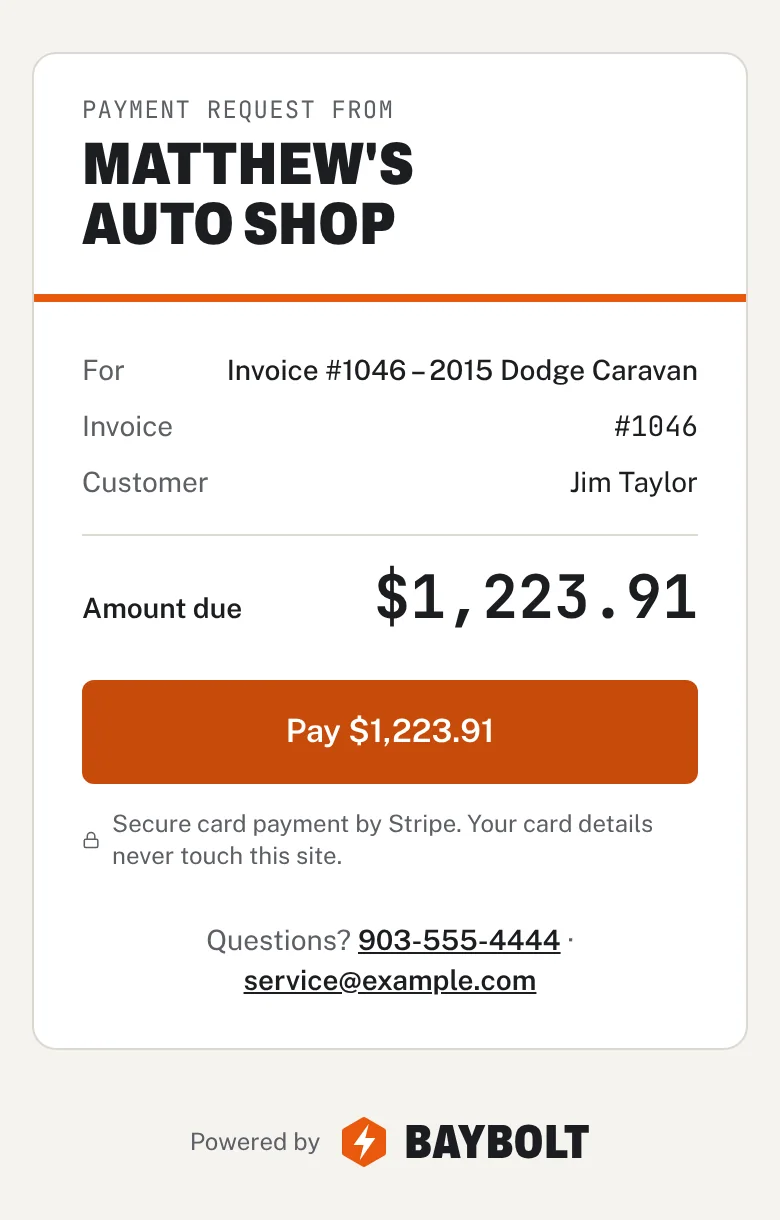
Text-to-Pay for Auto Shops
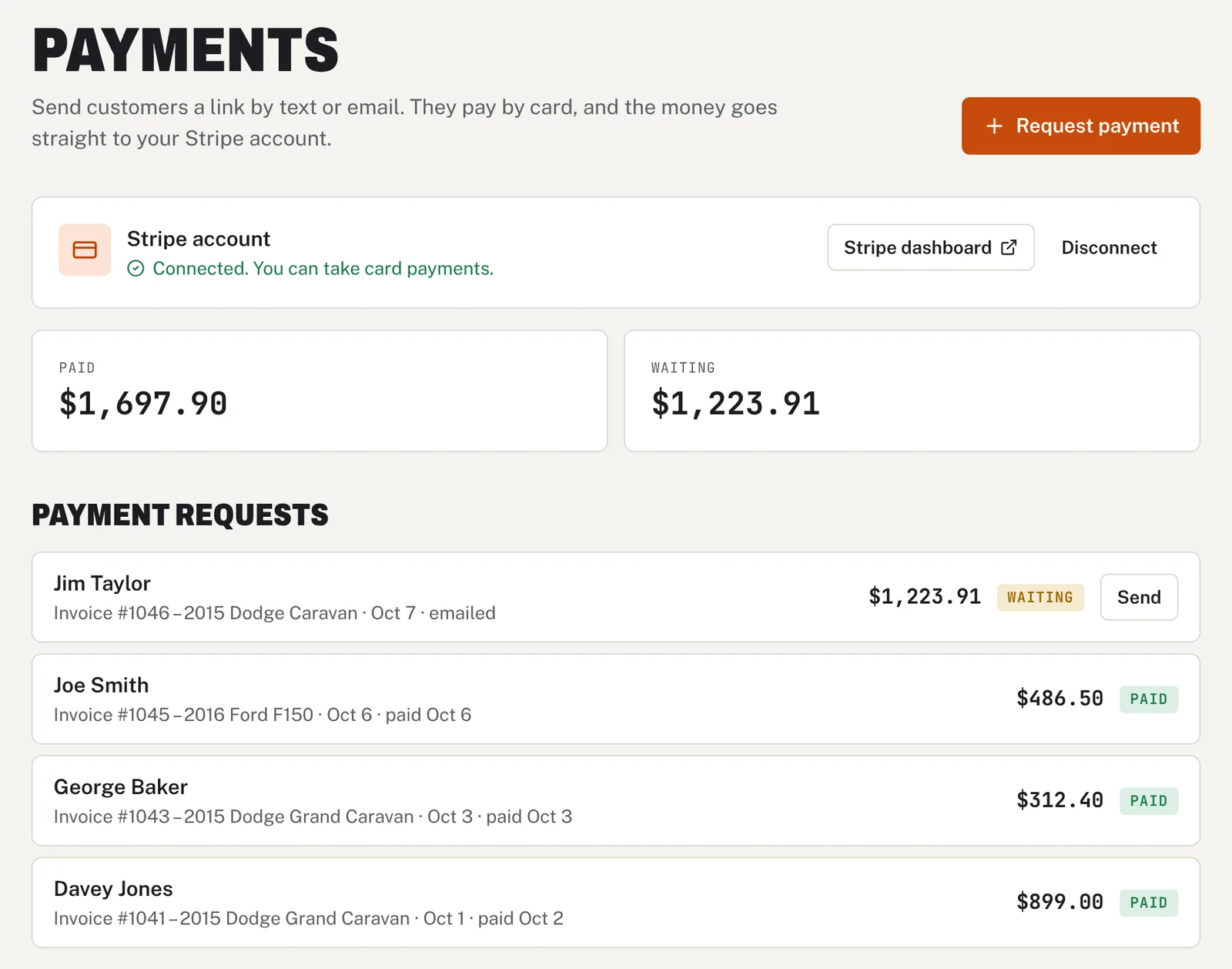
Baybolt's text-to-pay lets your shop collect payment without the customer coming to the counter. Connect your own Stripe account once. Then open any saved invoice, tap Request payment, and Baybolt fills in the amount and the customer's details. Send the link by text from your phone or by email. The customer sees your shop name and the amount, taps Pay and checks out securely with Stripe. The money goes straight to your Stripe account, and the request shows as Paid in Baybolt with a notification to the owner. Stripe charges its standard card fee, and Baybolt adds nothing on top.
Baybolt at a glance
Baybolt is auto repair shop management software for independent garages: $79 a month flat with unlimited mechanics, a 14-day free trial (card required), no contract, and it runs in any web browser on a phone, tablet or computer. Text-to-Pay for Auto Shops is included at no extra cost.
What you get
- Send a payment link by text or email from any invoice
- Customers pay by card on their phone, no app or account needed
- Money goes straight to your own Stripe account
- Baybolt adds no fee on payments
- See what is paid and what is still waiting in one list
- Get a notification the moment a customer pays
See it in the app
Real screens, sample data
How it works
Step by step
- 1
Connect Stripe
The shop owner connects a Stripe account once from the Payments page.
- 2
Request payment
Tap Request payment on an invoice. The amount and customer details fill in for you.
- 3
Text or email the link
On your phone, tap Text to open your messages with the link ready. Or send it by email.
- 4
Customer pays
They tap Pay, check out with their card, and the request is marked Paid in Baybolt.
Also included
More features, same price
Try Text-to-Pay for Auto Shops in your shop.
Every feature is included in one $79/month plan with unlimited mechanics. Start with a 14-day free trial.
Start your 14-day free trial$79/month after the trial · Card required · Cancel anytime