Feature · Auto Repair Invoicing Software
Professional Invoices and Estimates in Seconds
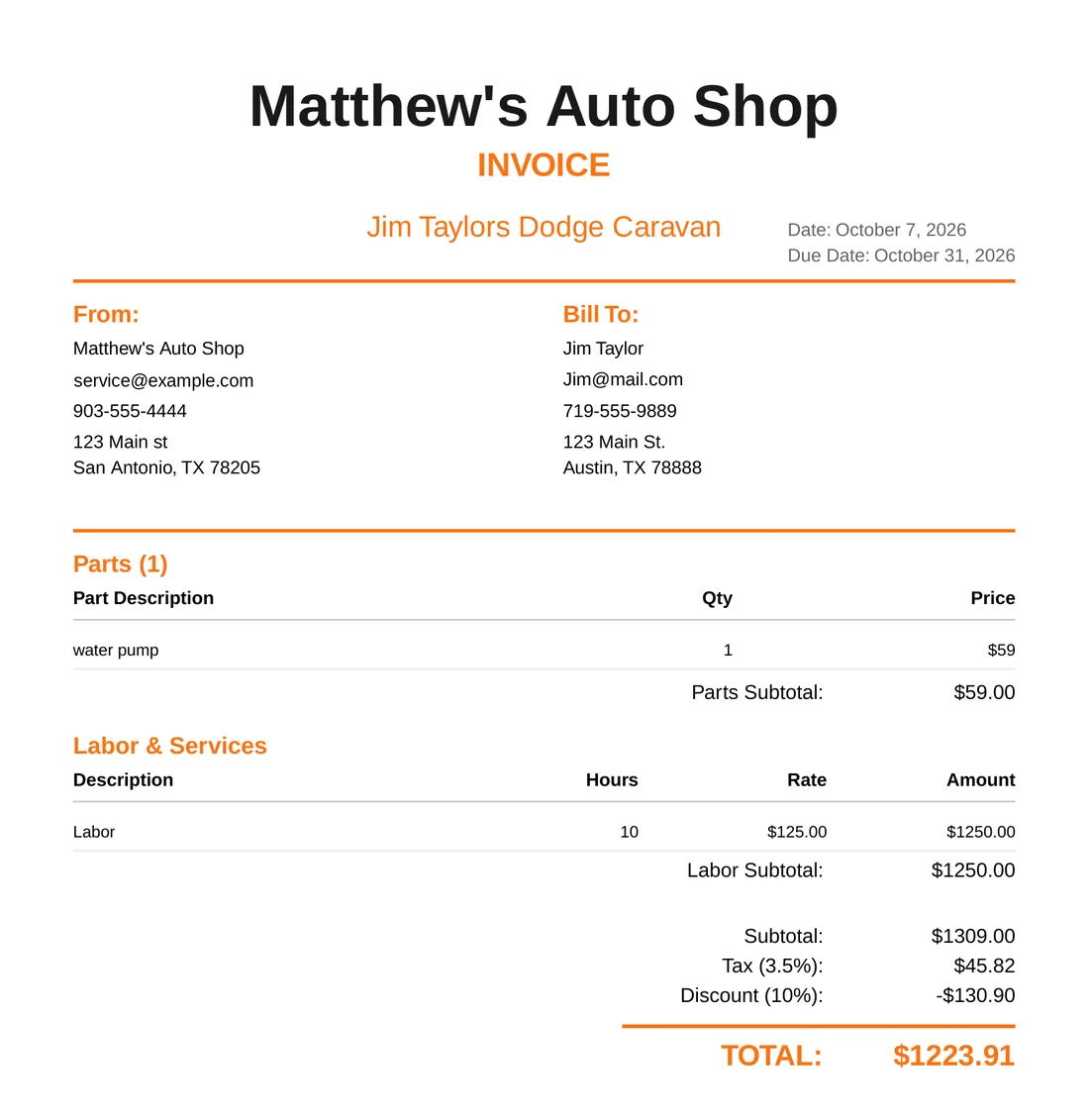
Generate polished PDF invoices and quotes with a few taps. All labor and parts are tracked automatically, so your billing is always accurate.
Try it free for 14 daysIncluded in the $79/mo plan · 14-day free trial · Card required
Auto Repair Invoicing Software
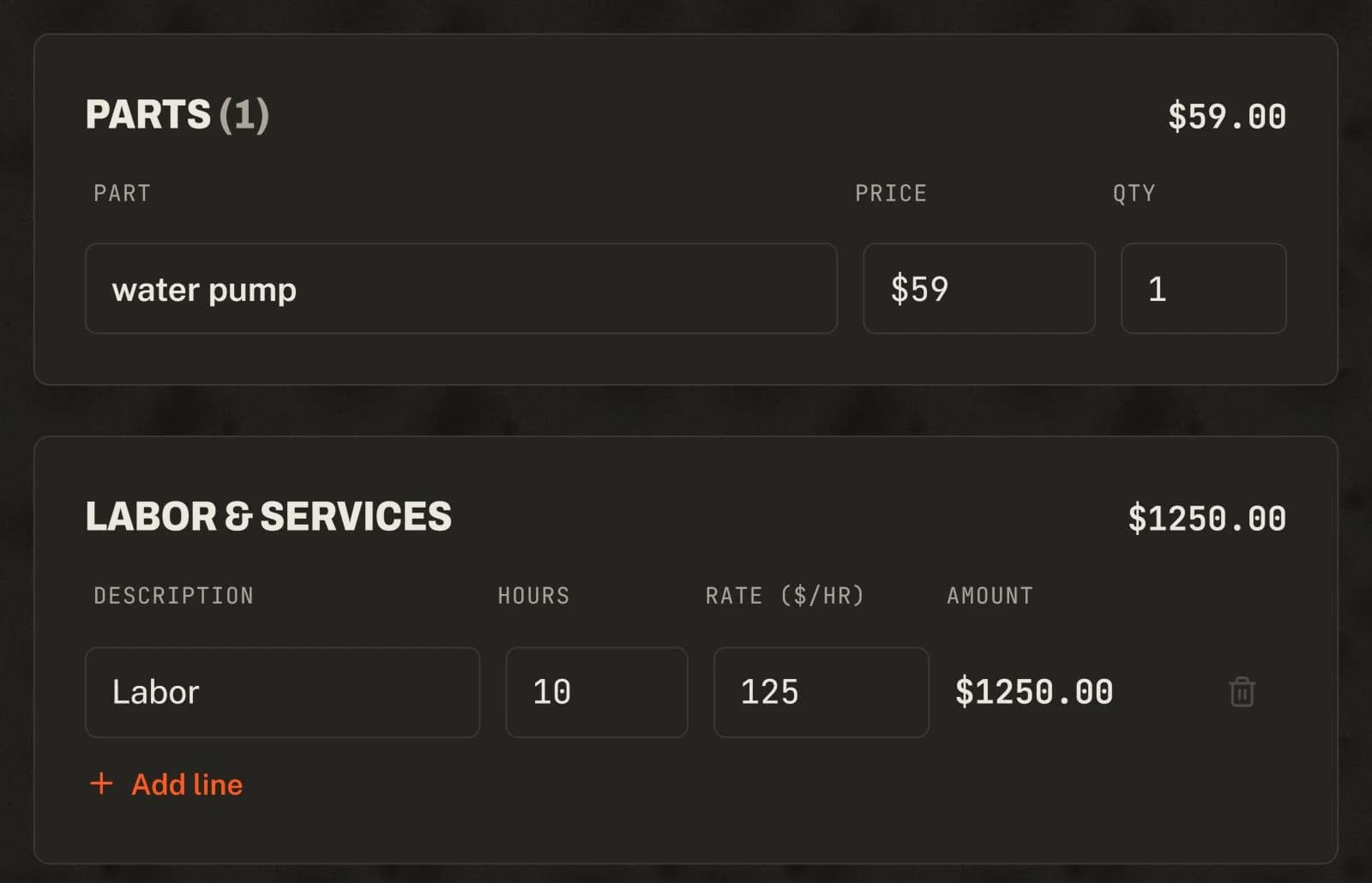
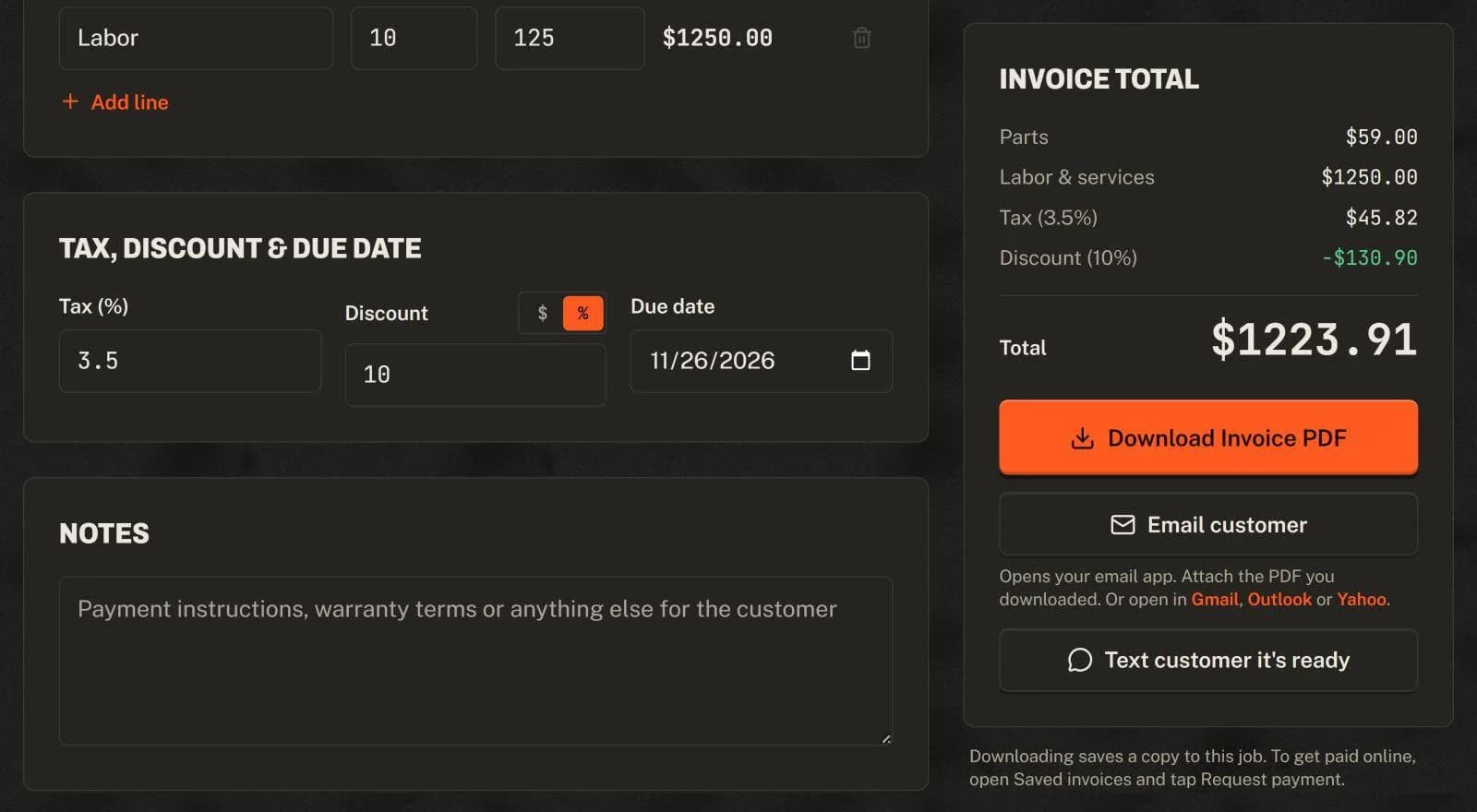
Baybolt's invoicing software turns your project data into professional estimates and invoices instantly. Parts, labor, and service items are already tracked in your project, so generating an invoice takes a minute. Add tax, a discount and a due date, download the PDF, and email or text it to the customer. Email a payment link and they can pay by card. All invoices are saved to the cloud so you can retrieve them anytime. Export your records to CSV to import into QuickBooks or other accounting software.
Baybolt at a glance
Baybolt is auto repair shop management software for independent garages: $79 a month flat with unlimited mechanics, a 14-day free trial (card required), no contract, and it runs in any web browser on a phone, tablet or computer. Auto Repair Invoicing Software is included at no extra cost.
What you get
- One-click invoice generation from your project data
- Professional PDF format that customers trust
- Auto-saved to cloud storage for easy retrieval
- Email or text invoices to customers, and email a pay-by-card link
- Accurate billing with automatic labor and parts tracking
- CSV export you can import into QuickBooks and other accounting software
See it in the app
Real screens, sample data
How it works
Step by step
- 1
Track Work
As mechanics complete tasks and add parts, everything is tracked in the project automatically.
- 2
Generate Invoice
Click the invoice button. Baybolt pulls all labor, parts, and services into a professional document.
- 3
Send to Customer
Download the PDF and email or text it to your customer from your phone.
- 4
Get Paid
Email a payment link. The customer pays by card and the money goes straight to your Stripe account.
Also included
More features, same price
Try Auto Repair Invoicing Software in your shop.
Every feature is included in one $79/month plan with unlimited mechanics. Start with a 14-day free trial.
Start your 14-day free trial$79/month after the trial · Card required · Cancel anytime